The Portable Document Format was originally created by Adobe as a file format to reliably present and exchange documents. Adobe are still one of the main developers of software that enables you to create, edit and visualize PDF files. Because the specifications of the file format are publicly available and meanwhile even became an official ISO-standard, a lot of other companies develop PDF-related software as well. In prepress, PDF is commonly used as a format to exchange data, either complete pages that need to be printed or advertisements that need to be included in a publication. The file format is also popular for softproofing and reviewing content because there are applications that allow you to make annotations on the PDF pages.
What can I do with PDF?
PDF can be used for:
- creating electronic documents – PDF is as close as you can get to ‘the paperless office’.
- exchanging data – More and more applications can read PDF files. Advertisements are often exchanged as PDF files. PDF/X is a special version of PDF that is optimized for this type of application.
- archiving data – There are tools on the market that allow you to index PDF files so you can create and search an electronic library of PDF files. There is even a special version of PDF, called PDF/A, that is optimized for the long term preservation of electronic documents.
- interactive documents – PDF can be used for electronics forms in which the filled-in data can be stored in a database.
For more information, check out the following pages:
- How to create PDF files
- How to view PDF files
- How to edit PDF files
- How to merge or split PDF files
- How to preflight PDF files
- How to troubleshoot PDF files – this page contains a list of the most common issues with PDF files
- How to convert PDF files to other file formats
- How to output PDF files
- Refrying PDF files
The PDF file format
PDF files have a .PDF extension. Their icon looks like this:

Both on Macs and PCs, you will not see this specific icon if no application is installed that can handle PDF files. Nowadays a lot of systems come with the necessary Adobe Viewer application pre-installed. Apple’s OS X system has built-in support for PDF.
For more information, check out the following pages:
- General information
- Annotations
- Blends
- Compression
- Fonts
- Form XObjects
- Text
- Color
- Images
- Metadata
- Page boxes
- PDF versions
- Transparency
Special PDF flavors
- PDF/X-1a – Popular standard for data exchange in prepress & printing
- PDF/X-3 – A color-managed alternative to PDF/X-1a
- PDF/X-4 – The new standard for using PDF in prepress & printing
- PDF/X-5 – Obscure alternative to PDF/X-4
- PDF/VT – Using PDF for variable data and transaction printing
- PDF/A – Using PDF for archiving electronic documents
- Certified PDF – Proving that a PDF has been preflighted
The PDF Association offers a free 17-page guide to the PDF/X file format, called PDF/X in a nutshell.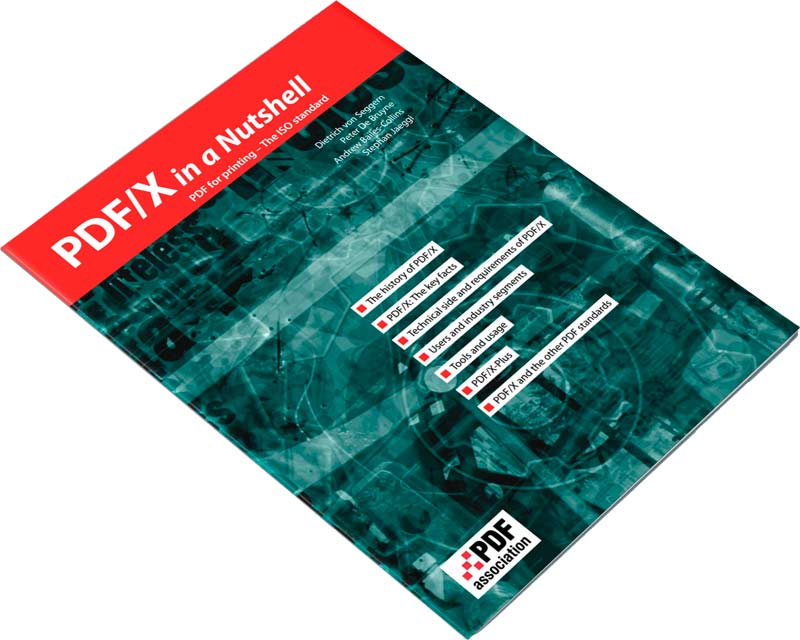
What are the advantages of PDF?
PDF has a unique number of advantages:
- It is a cross-platform standard. This means that somebody can create a PDF file on a Unix workstation and you can open it on a Mac or PC and still see the document just like it was intended to be viewed.
- PDF files can be device-independent: they can be printed on a cheap inkjet printer as well as on an expensive imagesetter. This does not necessarily mean that the output will be optimized for each device. A lot depends on the way the document is created.
- PDF files are compact. PDF supports a number of sophisticated compression algorithms as well as a clever file structure to keep the file size of PDF files down to an absolute minimum.
- PDF files can contain multimedia elements like movies or sound as well as hypertext elements like bookmarks, links to e-mail addresses or web pages and thumbnail views of pages.
- PDF supports security. The creator of a PDF file can set various security options. It is possible to lock a PDF so it can only be opened with a password. It is also possible to forbid changing the content of a PDF or disable the option to print a PDF file.
The disadvantages of PDF
Of course, there are some disadvantages to the use of PDF as well.
- Contrary to its name, the Portable Document Format is not that portable. Roughly every two years Adobe has released a new version of PDF, each time adding new features or expanding the scope of existing ones. The latest versions of Adobe Reader and Acrobat will ignore PDF features that did not exist when the software was released. While this is an elegant work-around, the fact that there are so many different versions of PDF is not very practical or user-friendly.
- Some organizations have always objected to the use of PDF because it was a proprietary file format, owned by Adobe. This was true until January 2007 when Adobe released the PDF 1.7 specs for ISO certification. Some PDF flavors like PDF/X-1 and PDF/A were already ISO-certified years ago.
- PDF tries to be everything to everybody, meaning that it may not be as efficient for a specific task as a tool optimized for that task. You can use PDF on the Internet but in most cases, an HTML document may be more efficient. You can use PDF to exchange small graphic elements like ads, drawings, or pictures but more prepress applications can handle the EPS file format. You can use PDF for archiving data but sometimes extensive layout features like kerning may keep you from finding a particular word in PDF document.
- PDF is geared towards visualizing documents. Using metadata it is possible to preserve the logical structure of a document. Unfortunately, there aren’t that many applications that create such tagged PDF files.
- PDF files are not meant to be edited. Small changes can be made to a PDF file but it is fairly difficult to add complete blocks of text or images to an existing PDF file. There are specialized tools on the market for this but even they cannot always get around this limitation.
please provide contact email address
I’d rather not do that as bots will scrape the address and I already get enough spam as it is.
Hello, i just wanted to know when PDF having different Crop box size and media box also having different size with rotation of 90 degree. how does it makes difference between rest of the PDF. and How to convert it in to Normal PDF?
we need to edit the content like form field in pdf
any on give the suggestions or this post………..
This has really been helpful, I have programs which convert reports on IBM iSeries machines to a PDF file, I now have a need to add password protection to the files which are emailed to users and employees. What I need to know is how to assign a password to a PDf file, can anyone point me to a reference? Thanks
Hi… I like this page.. It seems like a great resource.. I just think it seriously needs to be brought up to date, since a lot of the things written here are so obviously obsolete..
I am working on it. Most of the links are updated now but I have added pointers to some new topics that also need to be covered.