EPS or Encapsulated PostScript is a standard graphics file format for exchanging images, drawings (such as a logo or map), or even layouts of complete pages. An EPS file internally contains a description of such an object or layout using the PostScript page description language. It can include both bitmap and vector data. The purpose of an EPS file is to be included in other pages. Sometimes EPS files are called EPSF files. EPSF simply stands for Encapsulated PostScript Format. EPS files have the extension .eps or .epsf.
This page discusses:
- the basics of the EPS file format
- how to create EPS files
- how to view EPS thumbnails
- how to reduce the file size of EPS files
- More technical details about the file format
EPS is still in use, but it is essentially an outdated file format that no longer evolves.
- For exchanging logos or drawings, it has been replaced by the native file formats of Adobe applications. Adobe has made it easy to drop a native Illustrator or Photoshop file in an InDesign document. Given that most people work with the Adobe Creative Cloud or Creative Suite software, EPS no longer makes sense as an intermediate file format.
- For exchanging complete pages or advertisements, it has been replaced by PDF (just like PostScript itself is also being phased out and replaced by PDF).
Even though PDF and native file formats are the way to go, your existing library of EPS files will still remain usable for a long time. Here is what Dov Isaacs from Adobe said in a discussion on a PrintPlanet forum: ” …Adobe will continue to support EPS as a legacy graphics format for import of non-color managed, opaque graphical data into Adobe applications (such as InDesign and Illustrator). Although we certainly do not recommend that new graphical content be stored in EPS format (except to satisfy the need to import data into page layout programs that aren’t quite PDF-centric — no need to mention names here!), our user base should feel comfortable that there is no need to worry about a need to convert their very sizable libraries of EPS-based graphic assets.”
The basics of EPS files
An EPS file can contain any combination of text, graphics, and images. Since it is actually a PostScript file, it is one of the most versatile file formats that are available. EPS-files usually contain a small preview image that is used to visualize the content of the file. This is done so that applications don’t need a PostScript interpreter to display the content of the EPS file. Even office applications such as Microsoft Word can display the preview image. If an EPS file is sent to a printer that doesn’t support PostScript, it is once again this preview image that is printed. The quality will not equal that of the read EPS artwork but at least there is an image on the print-out. There are millions of people working with *.eps files without realizing how complex the artwork they are using really is.
How to create EPS files
EPS files can be generated by all professional drawing applications as well as most layout applications.
- The most widely used application to create EPS files is Adobe Illustrator. Illustrator’s native file format is called AI. An AI file is smaller than the corresponding EPS file and it retains all of the editing capabilities of Illustrator. The advantage of saving as an EPS is that it is easier to use the file with other (non-Adobe) applications. If you need to send artwork to another company and you do not know what software they will use to process your creation, use EPS or PDF.
- Image manipulation programs like Adobe Photoshop can also save bitmap images as EPS-files.
- Some printer drivers are capable of generating EPS-files as well as PostScript files.
How to view EPS files
Viewing placed EPS files
When you place an EPS file on a page in a layout or word processing application, that application needs to visualize the content of the EPS. It can do this in two different ways:
- It can display the preview image that is embedded in the EPS file.
- It can attempt to render the content of the EPS file and generate a preview image that is optimized for the current screen size and magnification. Only a few applications, such as Adobe InDesign, are capable of doing this. Since this operation can be fairly processor intensive, InDesign will only do this if the display quality selected by the user is set to ‘High’.
Viewing EPS thumbnails in operating systems
Seeing the content of an EPS can be a real hassle, both on PCs and on Macs.
- EPS thumbnails in Windows
When an EPS-file is viewed in the thumbnail view of Windows Explorer, a generic icon is used. Below are for example 2 EPS-files viewed in Windows XP.
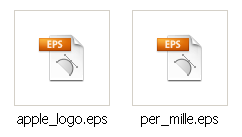
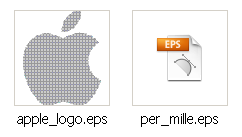
For other file formats such as JPG or PNG, Explorer shows a thumbnail of the actual image content. This can be very practical when dealing with large amounts of files. There is a little tool called PS+Ai Thumb which at least partly solves this problem. It works on some images but not on all types of EPS files, as shown below. I’ve only used it with Windows XP. It does not work on the 64-bit version of Windows 7.
The best solution is to use a more dedicated image browser or viewer. Below is what Adobe Bridge displays. Bridge is bundled with applications such as the Adobe Creative Suite or Photoshop.

- EPS previews in Mac OS X
In Leopard the situation is a bit similar to that of Windows: viewing EPS thumbnails works fine in applications like Adobe Bridge but in the Finder or QuickLook you don’t see a preview. Fortunately, there is an excellent plugin called EPSQLPlugIn which fixes this. It can be downloaded here.
Apple eliminated this limitation in OS X 10.6. Below is how the above two icons look in the Finder in Snow Leopard.

How to convert an EPS file to another file format
An EPS file can be converted to PDF, TIFF, JPG, PNG or other graphic file formats.
- If you are an Adobe Illustrator or Photoshop user, just open the EPS file and use SAVE AS to export to another file format. CorelDraw and other drawing applications can also be used to do the same.
- If you do not have any of the above-mentioned applications, there are web sites that can convert an EPS to an image. Google and you shall find.
Keep in mind that converting an EPS that contains vector data to an image file format that only can contain bitmap data means you are converting to a file that is optimized to be used at one specific size. The page on bitmap versus vector graphics explains this in more detail.
How to reduce the file size of EPS files
Logos and other types of artwork are often saved as EPS files. It makes sense to try and keep the file size down. There are a number of things you can do to reduce the size of EPS data:
- Often the preview image that is embedded in an EPS file makes up a large part of the EPS data. If you originally filled a landscape A4 or letter size canvas with a logo, the A4 or letter sized preview image can easily exceed half a megabyte. If the logo is a vector-based drawing, there is no disadvantage in reducing its size and making it 10 centimeters or 4 inches wide. That may halve the file size of the EPS file.
- An application like Adobe Illustrator saves additional information in its EPS output. When saving as an EPS file, you can select the file format. By selecting Illustrator 9 instead of Illustrator CS5, I shaved 200K off the file size of an EPS. Take into account that saving in an older file format may impact your ability to edit the EPS file afterward.
- Get rid of unnecessary data: In its Action window, Adobe Illustrator has an option to delete unused palette items. This deletes unused color swatches, brushes, symbols, and styles. That may reduce the file size by an extra 200 to 400 K. Also make sure that there isn’t any irrelevant artwork hidden in a deactivated layer or the pasteboard area.
- Try optimizing the design by simplifying paths or merging multiple paths into a single one.
- If the EPS file needs to contain bitmap images, make sure to use the optimum resolution for these.
Additional information can be found on this excellent page.
More in-depth information on the EPS file format
An EPS file must conform to the Adobe Document Structuring Conventions (DSC). These are a set of rules that define how PostScript data should be organized.
At a minimum, it must include a header comment, %!PS-Adobe-3.0 EPSF-3.0, and a bounding box comment, %%BoundingBox: llx lly urx ury, that describes the bounds of the illustration. (The specification does not require the EPSF version, but many programs will reject a file that does not have it.)
The EPS program must not use operators that initialize or permanently change the state of the machine in a manner that cannot be undone by the enclosing application’s use of save and restore (e.g.. the operators starting with ‘init’ like initgraphics). As a special case, the EPS program may use the showpage operator. The importing application is responsible for disabling the normal effects of showpage. The EPS program should make no environment-sensitive decisions (the importing application may be trying to attain some special effect, and the EPS program shouldn’t screw this up), although it can use some device-dependent tricks to improve appearance such as a snap-to-pixel algorithm.
There are some operators that should not be used within an EPS file: banddevice, cleardictstack, copypage, erasepage, exitserver, framedevice, grestoreall, initclip, initgraphics, initmatrix, quit, renderbands, setglobal, setpagedevice, setshared and startjob. These also include operators from statusdict and userdict operators like legal, letter, a4, b5, etc. There are some operators that should be carefully used: nulldevice, setgstate, sethalftone, setmatrix, setscreen, settransfer, and undefinefont.
EPS files can be encoded using 7-bits (ASCII, like PostScript data usually are) as well as 8-bits (binary, which is virtually always done on Macintosh because it decreases the file size significantly). 8-bit EPS-files cannot be handled properly by all operating systems or applications.
The image preview
EPS files can optionally contain a bitmapped image preview so that systems that can’t render PostScript directly can at least display a crude representation of what the graphic will look like.
There are 4 preview formats:
- PICT, mainly used in files generated on Macs. The PICT file is stored in the resource fork of the EPS file while the actual PostScript data are stored in the data fork. PICT is the default file format of QuickDraw, the graphics model that is used by MacOS 7/8/9 applications to generate the screen display.
- TIFF: Most EPS files created by Windows applications contain a TIFF file for preview purposes.
- Metafile: Some EPS files originating on PC contain a Windows Metafile preview. WMF or Windows Metafile is the PC equivalent of the Macintosh PICT file format.
- EPSI is an EPS file with a platform device independent preview. EPSI is an all ASCII (no binary data or headers) version of EPS. EPSI provides for a hexadecimal encoded preview representation of the image that will be displayed or printed. EPSI files were documented by Adobe as a means of providing a preview for EPS files which would be cross-platform. In reality, though, DOS machines and Windows favor embedding TIFF or even Windows Metafiles in the PostScript. EPSI is mainly used on Unix systems.
It is also possible to have an EPS file without a preview, though. In this case, the imported file is usually displayed as a grayed out box or a box with diagonal lines running through it.
The preview image has a fixed resolution, which is usually 72 dpi. If you enlarge an EPS file in a document, the preview image is stretched and may become ‘blocky’ and lacking in detail. This does not necessarily mean that the EPS-data themselves will degrade in quality. As long as the EPS-file only contains text and vector graphics, scaling it does not affect its quality.
If you print a file containing an EPS-image on a non-PostScript printer, it is usually the preview image that gets printed. The preview image is ignored when you print to a PostScript device.
Remarks
Although an EPS file contains PostScript data, you cannot always send it straight to a printer to have it printed. Some interpreters cannot handle the preview data that may be included in the EPS file. Others don’t output the file because the ‘showpage’ operator is missing. It can also happen that the printer does process the job but outputs a blank page because the content of the EPS-file was located outside the printable area.
EPS-files can contain PostScript level 2 operators that make it impossible to output the file on an old PostScript level 1 device.
Specsheet
Name: EPS
Developer: Adobe
Release date: mid 80’s
Type of data: vector, bitmap & fonts
Number of colors: unlimited
Color spaces: ?
Compression algorithms: ?
Ideal use: information exchange between prepress applications
Extension on PC-platform: .EPS
Macintosh file type : EPSF (sometimes TEXT)
Special features: –
Remarks: manual available here
Additional sources of information
Wikipedia has an elaborate but fairly technical page on the Encapsulated PostScript file format.
All of a sudden today all of me eps files are opening to a blank box with the transparent background? Can you assist me?
My partner and i still can not quite assume that I could be 1 of those reading through the crucial recommendations discovered on this blog. My family and I are sincerely thankful for your generosity and for presenting me potential to pursue the chosen career path. Appreciate your sharing the crucial data I acquired from your web-site.
Hi,
can I COVERT COREL DRAW’S ,CDR FILE INTO EPS FORMAT..IF YES THEN HOW? PLEASE ANSWER AS IT’S URGENT..THANKS
bonjour,
quand je recadre un pdf et l’enregistre en eps, acrobat me met un cadre blanc tout autour le l’eps. comment je peu suprimer ceci?
Spell Error: saved in “I shaved 200K of the file size of an EPS”
Spell Error: confirm in “An EPS file must conform to the Adobe”
Please fix it
I think both of your corrections are wrong, but I appreciate the feedback. I did notice that ‘shave off’ needs two f’s in it.
Hi all! If I send out an EPS file for the purpose of printing (created in Illustrator), can I rest assured that all images and fonts in EPS file are automatically embeded and visible on another computer, or I need to embed in AI before creating the EPS file? Many thanks!
I have an Hp 4015n and need to print eps files from mathtype linked on my indesign. My osx is 10.6.7. It’s possíble? Answer me please!
I have recently received an EPS file and managed to open it using Irfanview V 4.28, the plugins will also need to be installed. After opening the file it can be saved in various formats. The program can be downloaded for free at http://www.irfanview.com/. Hope this helps.
lots of people need help…no one has been able to help us.
…Welcome to life, help yourself you lazy ass.
A lot of the unanswered questions are either a. really stupid and easily answered if you bothered to do any research yourself rather than expect to be spoonfed or b. already answered here if you again would just read rather than expecting answers handed to you.
Casey, maybe check your viewing settings at work: Document Raster Effect may be 72ppi. It is still a vector, right?
I am exporting an EPS from an InDesign File. When I import to Illustrator CS5 my file is made up of random, small boxes and not one whole object. Please can someone tell me how to fix this? Or even why? Also, the artboard size doesn’t save.
I have created a logo in illustrator. I have turned my fonts into outlines and used the pen tool for the designs and then used a brush stroke for those lines. I saved it as a esp. however taking it into work it looks pixalated and the words are also difficult to make out. What went wrong in the process/ is there anything wrong. IF i send it to a client will it still give them the capabilities they need?
I am currently working on making a logo for a company I wanna make sure i do this right an eps file is a vector format correct? Also this is a format that if i wanna print on a banner or business card the image will not be distorted like a jpg would correct??
@Benro
Can’t tell you a straight answer, as much as people may feel the same with my question.
You should try finding out if its when you change the size while in photoshop and make a bigger image/canvas and see the difference between the files of you original image and the one you made bigger. If that doesn’t do it, might be the “include” options when you save your eps file.
hope it helps!
@ Others anyone with an answer for my question 😛 ?
what reason when tiff image convert into eps in photoshop the file size was heavy can u tell me with example
I couldn’t see a clear answer about how to save in eps format so at the moment I re-open the file I can choose it’s DPI and size, by that I mean the window that auto-pops when you want to open it in photoshop. I need that but for some reason I can’t find how I saved my previous EPS file that can open with theses features. My latest saves with EPS format jsut opens as I saved them and I can’t choose to make it smaller or bigger at opening…
Please reply as soon as you know what I mean and tell me what the real term/word for this feature. It has probably been discussed before but couldn’t understand it because I dont know the word that specifies this feature.
Thank you
Hey all,
Thought it should be stated that you must hit “Select All” in order for your vector line to appear once Illustrator file is opened, otherwise you’re looking at a blank screen. Spent 3 hours trying to figure out where the art was.
I am a designer at a university, working on a Mac in Adobe CS4. I am in the process of creating various file formats for our new logo for downloading off the main site. Starting with the original AI CS4 file, I am making EPS (for use with pro design apps, spot color), Tiff (Mac & PC compatible for print from Word or Powerpoint), and PNG (cross platform web use with transparency). Most users will be placing within Word or Powerpoint and printing to their office printers. Do you think my choice of formats are appropriate for most PC users?
My agency provides logos in various formats to clients (jpeg, tiff, eps). This has always worked fine before, but now that my client has Acrobat X Pro, when she tries to save or open an eps file, it automatically converts the file to a pdf. I am trying to troubleshoot this problem from afar. Any ideas?
I send EPS file to my client, but he says that when he opens EPS file the picture looks different from JPG-
swirl- type design. These swirls are only where I used gradients. But I dont see any swirls when I open EPS file on my computer. Maybe I do something wrong at the save as EPS process? I use Adobe Illustrator CS5.
Thanks in advance.
Hello
I would really apprechiate any advice you can give me. I want to produce a glass paperweight for London 2012 with the logo cut into it.
The manufacturer I am using has told me he needs an eps graphics file of the logo but I am not sure what size, resolution etc he needs.
Hope someone can point me in the right direction
James
Size and resolution don’t matter if it is a properly created EPS files. Since these files are vector based, changing their scale does not impact their quality. For corporate logos and logos of major events, it does pay to see if none of the big logo web sites don’t have them. Check out http://www.brandsoftheworld.com or http://www.webchantier.com/_index_en.html or http://www.pdf-internacional.com/ or http://www.logoclipart.com/logoart.html or http://www.free-logotypes.com/ or http://www.vectorportal.com/ or http://www.allfreelogo.com/ or http://logotypes.designer.am/srch/search.php or http://www.seeklogo.com/
Links provided by the pals over at B4print.com – as always a good place to ask questions like this one.
I have created a logo in iDraw . It needs to be an eps file for the sign guy that will cut the vinyl. Is there a way to convert this?
I have a client emailing me an .eps with several logos in it. He claims they are on different layers. When I import the .eps file into CorelDraw X3, is there any way to access these other layers? I can’t seem to see anything other than what’s on the top. PLEASE HELP!!
An EPS file can contain information that is not generic in nature but that can only be processed by a specific application. In this particular case I assume the file has been created with Adobe software, most likely Illustrator. You’ll need that software to be able to access the vendor specific data.
How do I convert an EPS file into a JPEG format?
Adobe Photoshop can do this and I think Illustrator can save an EPS as a JPEG image as well. If you only need a low resolution version, place the EPS in any application that can properly display EPS files and take a screenshot. Save that screenshot as a JPEG.
Michael, do you mean how can you edit the eps to get rid of the background? If this is what you are asking, Laurens has already made comments in regards to editing eps files. See comments on 02-27-2008 & 08-22-2008.
The way I understand eps files is that many many different programs can save as eps, so eps is only a COPY of another “original” file. The best way to edit the contents of the eps is to actually get the original file from which the eps originated. Most likely, the original files are never to be found.
I use two different programs to edit eps: I use Adobe Illustrator to edit the vector elements on the eps, and if there are any raster elements (bitmaps), I extract them and bring them into Photoshop to edit those individually and then place them back into Illustrator. Yes, usually jumping through hoops has worked for me in the past.
I have a logo saved as an eps but it has a white background, what is the best way to get the logo without the background and without it loosing any quality
I wasn’t sure if I was allowed to put a link to my own website?
http://vector-conversions.com/
I know my answer is a little late!
Amy, how to make a jpg into an eps depends on what software you will be using. With Photoshop you can just save as eps. But if what you need is a 100% vector eps then you will need to convert the image pixels into vectors. To do this you will need a vector program like Adobe Illustrator and either use the automated tracing tool or manually draw vectors with the pen tool, or buy a bitmap to vector conversion software. If you don’t need vector eps often, just use an online vector conversion service.
The answer may be in all these comments but Im not even going to attempt to read them all.
I have a logo that was sent in a jpg format. I need to make it a proper EPS file.
Im working in CS4
Whats my best way to go about doing this?
Thanks
I have created EPS file using Adobe Illustrator 10,
When I am trying to open in CorelDraw 12 the line styles are changed,
I want exact line style as it is in source file,
Please suggest,
Thanks in advance
Okay, I tried to read trough all the posts but got to 75% and quit. PDF is ADOBES own VECTOR/BITMAP program. so you can specify in distiller whether to make a HUGE FILE LIKE FOR PREPRESS USES. Or for internet use, as in specifying SMALLEST FILE. and you PDF file will be really small. On the EPS (Encapsulated PostScript) side, there are fewer output options, because the EPS format is pretty much a Vector based application which translates pictures in your document into a Mathematical vector format, ergo your file will be huge if you have ANY PICTURES IN IT! If not the text based only files will be small because they are all based on Mathematical or Vector Formulas. So they will be very very tiny. In EPS you cannot specify the compression of your picture within your documents. However in a PDF file you can shrink your file down as far as it will go! But you need to set this in the Adobe Distiller Program and set it to smallest size possible. Hope this helps some of you out there.
sir i have data entry work throw the net i dont know where it come from which fromate i have change the formate into the .tiff and it came different lang so that i didnt ahve wht i want
i need the document copy and eidt those files which shown in the docment
which is currently done by the ms word or text docment plz tell me how to convert
I would like to know if EPS is compatible with z/VM 5.4.
Thank you
Hi, I am looking to start an apparel company that will have printed graphics. this is all new to me, but I would like to be able to purchase a library of graphics, manipulate them slightly and then have them printed on T-shirts, caps, etc. I understand that eps files is the favored way to print high quality, but don’t know where to start, can you help me?
Thank you very much!
Every time a save a large .eps file on my macbook pro it will not save!!!! it either crashes or says that it can not be printed. Its something i designed. It should work. I have tried everything!!! i have deleted unused files and still nothing!
HELP ASAP
thanks
I have created an illustrator graphic (1.71MB) and saved it as an EPS (5.93MB) and the client wants the EPS file but smaller in size… How can I accomplish this?
It’s just a logo, 4.5in x 2in and I used a drop shadow. I read another forum and changed the drop shadow from a filter to an effect, but the file size didn’t change.
Other than 2 drop shadows, it’s basic text and shapes.
HELP!! please…
Which one displays better quality, an eps file or a pdf?
Hi, I got a eps file without EOF. I can open the EPS file. My questions is does EOF is required for printing. Can you provide me some tips on this please.
Thanks,
Vasan
I am producing a document with several eps images in it. How can I compress them? I am making a .pdf for web viewing and it comes to 7 MB which surpasses my “limits”. I am thinking the problem lies with the image files. I tried saving some of them as jpg instead, which took too much out off the details and the -pdf actually came out heavier.
I am using my company’s pdf setting which normally works, not much I can alter there.
I have been handed Word docs that have EPS files (originally Illustrator) inserted in them. Without having the option to remove and re-embed the art, my job is to run a Macro and then save each file as a PDF.
The problem is that the EPS art image looks pixelated/deteriorated on the Mac that can run the Macro (since Macros don’t work in Word 2008 for Mac, only Word 2004), and so the art shows up in the PDF looking terrible.
The weird thing is that the EPS image looks perfect when I open the same Word doc on the Mac with Word 2008, but I can’t process it there.
Is there a plugin or a graphic filter or setting that will make the embedded EPS image look good in Word 2004 on this Mac, so that it comes out looking OK after the processing?
I’ve read the entire string (and quite a few other sites) but haven’t found a situation quite like mine… the one from Mike Z on 1/29/10 is the closest.
Process the files on a Windows machine with a more recent version of Office?
okay, i did a logo the other day and it was in jpeg. but then the person asked me for an eps format cause they wanted it in higher resolution… do i just open the file in photoshop and save it as eps? or do i have to make a whole new one?
JPG is a image made up of little squares, An EPS is a vector graphic two totally different things, yes if you intend sending logo to someone that wants an eps you will need to do it again. otherwise your just sending them an image file named different but still an image file.
What does the file extention AI mean??? plz help me!
A .ai file is a file created using Adobe Illustrator. Wikipedia has a nice list of additional applications that might be able to open such a file for edition. It can be found at http://en.wikipedia.org/wiki/Adobe_Illustrator_Artwork
tnx for your helpping
i have some file in this format(*.eps)and it contants some vectors that i need them.
would u plz present me a software that i can use.
thank you
Dear All,
Very grateful for any brainy ideas on the following puzzle.
I wrote my thesis in 2000 as a Word 97 document.
The document included .eps files inside it.
Now, 10 years later, I need to print a copy of this thesis. I have Word 2007.
The problem is : the pictures are no longer visible or printable! On the screen, only the box is visible, with some sentences (Title of the picture, Creator, CreationDate). Printing yields only the box, not the image.
Are all my pictures lost?
Very grateful for you help.
Jonathan.
If I send the file to the printer in eps format do I need to convert all text to outline and embed all image? if yes why?
Hello,
What is the difference between an EPS and an AI file? When do you need to use EPS and when AI?
Kind regards,
Laura
Hi,
1. Is it ok to design a logo in Photoshop and then save that as an EPS file? Is this the way professionals do it?
2. How do you edit the EPS file? I opened it in Photoshop but I see just one layer so I can’t change the colors etc. When I open it in Illustrator, I can select the individual components but I can’t seem to be able to change the color.
Appreciate your help.
Thank you.
We recently released an update to our PSD codec that provides thumbnails for most EPS files on Windows 7, including 64 bit versions.
A free trial is available.
http://www.ardfry.com/psd-codec
I am using Illustrator to convert a dwg to eps. The eps is used to print a scale for a gauge.
When the eps is printed the size is unpreditable. It seemed to be slightly small so we scaled it up to print at original size. The first 4 scales were perfect but the 5th was too large.
This happens when printing to a Mimaki printer or a HP LaserJet 5550
I am a adobe illustrator CS2 trying to export or save as eps format It’s 4 col. vector design but it appear pallate of “can’t save the illustration Can’t print the illustration.
Please help us Thanks !
I am attempting to convert a jpg image to an eps image. I have tried two programs which ‘apparently’ convert the image (by that I mean create a *.eps file). However, it would seem that what actually happens is that the converter simply ‘inserts’ the jpg image into the eps file (that is, maintains the raster image within the vector shell of the *.eps image, or similar — I don’t know the exact terminology). Does anyone know of a program(s) that will convert the jpg to a ‘true’ eps image?
My thanks.
@Kevin: EPS does not mean it’s all vector data. It’s just that the contents of the file is described in a special PostScript format (Encapsulated PostScript to be precise). Be it vector, be it bitmap, be it font information, be it special programming or a mix of all four flavours at one time.
So to convert your bitmap jpeg to vector data you have to use a tool like Adobe Illustrator or Corel Draw to perform that task first, then write it to eps-format. Just changing the output format would not do the trick.
I am a newbie using CS2 trying to give design toa printer. It’s a black and white coloring but printer sent me this message:
I can’t un group anything to work with it at all- it is set up as 4 color process- it needs to be converted to a 1 color spot.
Please help. I have no clue what to do.
Hi,
Is there any way to determine if an eps file is a vector or a raster file without opening it first in Illustrator or Photoshop?
Our marketing staff requests vector eps files from clients but often receive raster eps files. They have no way of telling which is which. They pass them on to the art department and then we have to request a vector logo again. Hope to end this cycle somehow.
Thanks for your time.
Interesting question – I think the best solution would be to set up some kind of preflighting system that has a preflight rule which is set to fail when images have a resolution lower than 10 dpi. All eps-files with bitmaps in them should fail the test. Files that don’t have any bitmaps should pass the test and be moved to another folder.
The big question is obviously if the automation saves enough money to justify purchasing a preflight application capable of doing this.
If so, you’ll have to go through the hassle of finding a system capable of doing this. Most preflight systems nowadays are PDF-based but I would think it is still feasible to find one that can cope with PostScript and EPS as well.
Lauren you are a hoot. Thanks, but I realized text has been outlined and is therefore uneditable. But, thanks!
I have a logo that I need to edit one word. The file opens in Illustrator Cs5, but I can’t figure out how to edit it. Please help w/ basic 1-2-3- steps. THANK YOU!!!!
It is impossible for me to improve upon the help-function of Illustrator itself for a 1-2-3 guide on how to edit text.
Hi,
I saved my work as .ai and also as .eps using Illustrator Cs4 on a Mac. When I tried to open them on a Pc today, it says it can not open them.
What to do? I’m on a deadline and deperate to solve the problem asp. Can someone please help me with this?
I am placing a logo file in Word and need the screen resolution to be as clear as possible. The logo is in Illustrator. I have been trying 300 dpi Photoshop tifs as an example. Is there a better way to achieve clarity? What do you suggest for the lowest file size and highest clarity on the screen as well as print?
Thank you.
I have a question. Where do I get the EPS software? I need one for my pc.
Please anyone tell me what does the below line signify in EPS files and what can be done to produce it :
BeginEPSF
bf_xp 600 sub bf_yp bf_ph add neg -560 add translate
33 dup scale
I have a printer who claims he needs EPS format files where as all the other printers say PDF is fine. Since both are Postscript what is the difference? Should I be sending EPS to everyone? Is one any better than the other in terms of quality?
I have Photoshop .eps files which have a large file size. Saving as a .tif file reduces the file size. Is there any loss of quality when doing this? Files are placed in InDesign CS3 for printing.
As long as you use a lossless compression algorithm a TIFF file is as good as an EPS (and whenever possible actually preferable if you ask me).
Hi,
Forgive the simplistic question, but I have saved an image as an eps but do not appear to be able to upload the document as it is ‘greyed out’ and I cannot select it when I go to files. Appreciate some insight.
Upload to where? If you are trying to use the graphic as an illustration in a web page, I can understand that the authoring application refuses this. EPS was never meant to be used for web graphics.
Hello, I have a customer for whom I have designed a logo, and had a graphics designer produce the logo in Illustrator.
When I place the graphic designer’s EPS file in InDesign, the image degrades terribly. The curves become jagged both on-screen and on printouts. He has sent huge TIF files as well as EPS files, but the only thing that changes is the degree of jaggedness of the edges. Is this something that might be affected by a setting that I am not aware of? I appreciate any insight or direction you might have to offer.
Very new to all these applications – have a logo that I have done as an AI file – and now want to save it for my client to use…. I thought eps / tiff but when I group the logo and save it as an eps it imports as the a complete page (A4 page). Is there something I can do so it just brings the logo in?
@Shannon: On-screen you see the preview of the EPS, which may indeed be inferior to the actual output. The output to a printer is only good on devices that are capable of properly processing an EPS, typically PostScript printers. On cheap devices the output may look pretty awful.
@Tania: An Illustrator eps has the dimensions of the largest object in the drawing. If you put a big rectangle in the background to emulate some kind of background, your EPS is going to be as big as that rectangle. That is the usual explanation for odd EPS dimensions.
Having a lot of trouble with InDesign crashing when I try to export a document with eps files in it to pdf. When I convert the files to ai – super fast – no problems. I have been trained to always save to eps but I’m beginning to wonder if that is still necessary. Am I likely to run into major issues by avoiding eps files in the future?
I’ve also encountered a recent problem with EPS files in a Word 2003 document (Win XP Pro SP3) – they printed fine using a PostScript driver when the document was created in November 2009, but now the typefaces are corrupted, e.g. printing Courier instead the original (Haettenschweiler).
I’ve been trying to import some .eps figures created with Matlab into a Word document but they look scrambled, e.g. lines broken into multiple out-of-place segments, or have gaps in the lines.
The imported figures appear this way on the screen, when printing the document, and when converting to a .pdf. I can open the figures themselves in gsview or convert them directly into .pdf and they look fine.
The figures look scrambled both in Word 2003 and in Word 2007. I created some of the figures 3 years ago and imported them into Word 2003 at that time with no problems, but now importing the same figures into the same version of the Word doesn’t work properly.
I also get different behavior if I create the figure with the -tiff preview (get regularly spaced gaps in all the lines) or without (get smaller segments of the lines broken up and jumbled around).
Anyone have any ideas on what causes this or how to fix it?
Can I edit an EPS file? Is it possible to open an EPS file as an editable format i.e. photoshop, illustrator or indesign?
Based on my experience illustrator is the best application to edit eps file specially if its originally a vector graphics, just open it straight away to illustrator, however if the images are embedded and text are already in outline when the eps file was done editing it would not be possible unless the client supplies the native original file.
I have a customer that has a photoshop graphic that has been converted to an eps file format. On his end he can separate the layers. When sent to us and imported into Corel, it imports fine, but comes through as a bitmap and cannot be separated. what program should i install for opening EPS file format?
Photoshop 🙂
Our printer is demanding EPS formated graphics files. Our software (solidworks) cannot export to EPS. If I use Gimp to convert, my grahpics are degraded. The images are shaded, so they are raster. What is the best solution to get these images into an EPS format without degrading them?
GIMP is a bitmap editor. Any file opened in it will be converted to a raster image. I’m not into CAD software but my guess is that you should export a vector file format such as DXF and then use one of the numerous DXF to EPS converter tools that keep the vector data as vector data. I’ve done that a few times with Adobe illustrator but there are cheaper, more powerful and more automated solutions for such a specific task.
Hello.
Please how do i save a file in an EPS format for web use. actually that one will be able to apply your color on the web.???
EPS is not a file format that is suitable for web use. JPG, PNG or even GIF are more suitable when it comes to raster images. Flash or SVG are better for vector images. Stick to one of those file formats instead.
How do edit an eps file? And would you use Photoshop or Illustrator? How do I find which fonts were use?
I have some graphics in shape files needed to be written into eps file. Can I use some programing tool to finish this? Or should I directly write these graphics into eps format file by using postsript language?
I can’t get a “.eps” or “.ai”, that has been saved on a Macintosh, to work properly on my PC. I can open it in Illustrator and I see text, graphic and images. I haven’t got the correct fonts that is being used, fine, but the problem is that the layers is now messed up. They’ve been grouped, mixed up, and words and letters has been cutted out in different layers.
So is it even possible for me to work with these files when they are saved on a Macintosh?
Can I convert PDF into EPS?
If yes, can you tell me any reliable software to do that?
Hi,
I have an EPS file which I open with “Corel Paint Shop Pro Photo X2”. When I open the file, it immediately asks what DPI i want to open the file with – I leave the default as 72. I needed to change the colour in the image and then save it again as an EPS file. When the file saves the size changes from 384kb to over 1mb. IT seems that the file size changes based on what DPI i nominate when I first open the file when I make the changes. The problem is I don’t want to save the EPS with a predefined DPI because re-opening later and wanting a higher DPI will make the image blocky. Why is this happening, how else can I change the colour within the EPS without affecting the EPS file so much?
Much appreciate any help with this.
I am inserting EPS illustrations into word (2008) on a Mac (power pc) and the illustrations are getting scrambled/corrupted when someone opens the file from a PC (with windows) and sends the file back to me. One suggestion has been to use PNG format but I am concerned my illustrations will lose detail when printed. Any suggestions?
I have a .eps file that I created in Il CS4 which I sent to a company that states they can not open the file with their Il CS3. They say I need to save it as a CS3 version. Are they right? If they are right, how do I do that.
Thanks
When you save an EPS-file in Adobe Illustrator, the EPS Options window has a pulldown menu to select the EPS version. Simply selecting ‘Illustrator CS3 EPS’ should to the trick.
Hi, this may seem like the simplest question to ask but I’m very new to this! I need to submit files in the .eps (or .tiff) format. At the moment they are pdfs. I can convert the pdf to an eps, but it needs to have a preview and I am not getting this, any tips on how to get a preview would be great! Or, just in case anyone knows, how can I convert a pdf to a tiff!? (good quality, not the print screen kind of quality), thanks! 🙂
I’m not sure if the following problem is one created through my own doing with some incorrect colour setting or process however I would appreciate any comments. The problem I have is when I place a CMYK EPSF file as a link into CS4 Illustrator and then save the file as a PDF using the standard high quality print settings. The resulting image within the PDF becomes Lab 24 bit. Converting the image to a CMYK Photoshop file and placing the same way produces a correct result (CMYK) likewise embedding the file produces a correct result.
I haven’t tried this with recent versions of Illustrator but in the past placing links was often a bad idea as the link would easily get lost. That left you with just the bitmap preview image of the EPS – which is most likely what you are also experiencing as well. Why not export the CMYK-file directly as an EPS from Photoshop, avoiding the complexity of yet another app (Illustrator)? Less steps in the process = less complexity = less problems (usually at least).
Sure – thanks for the reply. My images will be vector, but they’ll get printed on a printer at some stage, which will presumably have a DPI setting, so I guess if I allow DPI to be specified in my software, at least it’ll allow an estimate of how big the image will be, assuming it’s not resized in the meantime.
I’m writing an application that will create EPS files for a specific purpose. Does the concept of DPI apply to EPS files? It seems to me that it shouldn’t, but some people still seem to talk about DPI in relation to EPS files.
If an EPS file simply contains a bitmap image, that image can have its resolution specified in the file. For vector data this is not the case but there is the ‘flatness’ setting which in a way is linked to resolution. I think in early versions of Adobe Illustrator ‘flatness’ was referred to as ‘resolution’ or ‘output resolution’, which may explain the confusion.
I have crated some graphics in adobe illustrator cs .how can i open these files to adobe illustrator cs3.
it is the one of good file formate.because i am using this.i am getting good result.
I have created a logo in illustrator CS3 (macintosh) and need to provide an PC user the same logo to use in word on a background. I can’t seem to provide her with a file that doesn’t contain a white background. What do I need to do to provide her this?
I don’t think you can actually avoid this. As long as the Word-users print to a PostScript output device, the output should actually be OK since it are the highres data that get processed. I can imaging that on printers using PCL or GDI the EPS-preview is used and you keep the white background on the print-out. An alternative might be to look at a file format that supports transparency, such as PNG. The logo won’t be vector based but as long as the resolution is OK that should not matter to much. PNG offers good compression ratios so the file size might also be fine.
I created a logo for my client in Photoshop. Her sign guy has asked me to send an eps version of it to him because he needs the outline for his printer. how do I do this?
If you used one or more paths in Photoshop and these are what the sign guy needs you could COPY and PASTE them to Illustrator and save as an EPS.
How to create EPS file
Without knowing from which application or type of file you want to start, it is going to be difficult to answer that question. As a general rule, most drawing applications as well as most layout programs are capable of creating an EPS file
I have a customer that has a photoshop graphic that has been converted to an eps file format. On his end he can separate the layers. When sent to us and imported into Corel, it imports fine, but comes through as a bitmap and cannot be separated. We are a screen printing company that need the layers for color separation. The one thing I don’t know is if the document was originally created in photoshop. I also don’t know if that matters.
When I tried to import an eps file to convert to PDF, the eps file showed up on the bottom corner of the page, how should I do to correct the location? Any help is greatly appreciated!
I have some eps files, which I tried to open using Adobe Illustrator CS3. However,I am unable to open them I get an error “Operation could not be complete because of an unknown error”. Is the file corrupt?
Not necessarily. Adobe do not guarantee that Illustrator can open every single EPS-file that you throw at it.
How can i open a eps FORMAT FILE
I recently received a file passed down through about 4 people at my company; its an eps file that no1 can figure out how to open – we’ve tried Corel Draw, Adobe Illustrator CS4 (trial), Adobe photoshop cs2, Importing into word and other programs — you name it, we’ve done it. I still cant manage to open this file and its pretty important.
In viewers it tells me “Cannot load image. Invalid or unexpected file format.”
In editors it tells me “The file ‘blahblah’ is an unknown format and cannot be opened”.
Is the file just corrupt or what am I doing wrong??
There are so many esoteric applications that can write EPS-files that it is not surprising to come across files that cannot be opened with the usual tools. TUse Distiller or another tool to convert the file to PDF and then try editing this file in Acrobat/PitStop or Illustrator. YMMV!
I am trying to convert an EPS File with the data type being CMYK true color however the file is not converting. I have tried several different programs in order to convert this file but it will not convert. Is there a certain type of program that I need in order to open and/or convert this type of file. The software i am using says it converts EPS however its not converting and I am not familiar with this type of format. Any advice you can give?
Without knowing that you mean by ‘CMYK true color’,what you are trying to convert to, which applications you tried or what the EPS-file was created with, it is impossible to tackle such a question. In general converting EPS-files is a tricky process due to the fact that it is such a complex file format. There are much better conversion tools and plug-ins on the market for PDF (Acrobat, Pitstop,…) so if possible, converting the file to a PDF and then transforming it might be a good idea.
I have designed a logo for a client but she has replied to me stating that the person whom she has chosen to print the graphic requires it to be sent in ‘eps’ format. I am unsure of how to do this. Could anyone please explain this procedure.
Thank you
Jerry
A lot of drawing applications and lay-out programs can save data as an EPS file. You do not explain which application you used but check the FILE menu option to see if EPS is not listed in a SAVE AS or EXPORT menu option.
I want to send a webpage to a friend via email without sending a link to access it online. Is EPS file format the best to use ?
No, EPS is a horrible file format for web content. Open the page in a browser window, use FILE > SAVE AS to store a copy of the page on your local disk and mail this to your friend. Internet Explorer 8 even has a direct ‘Send page as email’ function.
Other than Adobe Illustrator — what other software will allow me to import an EPS file so I can edit it ( change colors, remove layers, etc). I have a MacBook now — use to have a PC and I was able to do this in Powerpoint for Windows. I’d import and then ungroup the object and be able to change anything I wanted.
I bought Powerpoint for the Mac but it will not import EPS files. I really don’t want to spend $600 to buy Illustrator as I just need to do these minor edits once in a while. Are their alternatives out there to let me import and edit EPS files.
Tks for any help.
I am wondering if anyone left a response to your question, I also would like to know about ungrouping an eps file so I can pull the letters and layers apart and edit.
Cheers
Christine
Kerry, an EPS-file is not necessarily limited to vector data, it can also contain an image. Simply opening the PSD in Photoshop and saving as an EPS might already do the trick. Why the printer cannot handle PSD is beyond me.
Maria: I do not have Photoshop Elements and do not know what it is capable of. As for placing an EPS in a lay-out application: that is probably documented in the manual of your unnamed layout application.
Hello, Just received logo in EPS format.
Can PSE 6 convert from EPS to png or jpg?
Or perhaps you can expain please how to place eps in a layout application, etc.
I have a PSD file and am required to convert it to EPS (outline) format so that I can send it to a printhouse. Do I just open the PSD file in photoshop, make an outline of the picture and then save it as EPS?
Your help would be greatly appreciated! Thanks!
Ula, Illustrator & Photoshop & tons of other tools can convert an EPS in a PNG or JPG file. You could even place an eps in a layout application, take a screen capture and use that to create a web-optimized image.
Chris, the 100$ challenge thread at Indesignsecrets.com (http://indesignsecrets.com/my-100-eps-challenge.php) has the perfect answer(s) to your questions. Spoiler: there is no good reason any more 🙂
Why would you save a photoshop file as an eps and then import it into Indesign? Does it reduce the file size?
Hey hey, ouyeee such a great foruuum!
I have a question – how to convert an eps file back to a pdf or somethin suitable for uploading on a webpage, for example myspace? thank youuuu all!
I have a small sign shop in which the software is arcaic. I can only import .eps files and most people arenot able to provide such format. What is the easiest & cheapest way for me to get this type conversion tool. It seems that most folks are able to download in .pdf but as I mentioned, I cannot convert the files to be able to view them with my software. By the way, dont laugh to hard, but my OS in Windows 98.
Thanks in advance-
Cam
It is weird that I ran into a page that explains this while searching for a reason why .tif files become .tiff when I download them. For .eps to .ps extension weirdness, here is that technote: http://support.microsoft.com/kb/180030
Thank you so much for all the useful data on this website but I do have a question. I am trying to publish some eps files for download from a website. This works fine on my local machine but when it goes up on to the server the download is bringing the file down as a ps file. Any ideas why?
Thanks
jason,
have you tried scribus? It might be a bit overkill, but it opens eps
There are printers that support PostScript as well as other printer languages such as GDI or PCL. If you print from Mac using a PostScript driver, the vector data of the EPS get printed. If however you happen to use a non-PostScript driver from PC, the preview that is embedded in the EPS gets printed instead of the outlined text, causing low-res output. I think this is the most likely reason why EPS-files sometimes don’t print properly. Using the proper driver should solve the problem. Embedding higher res data would also assure (somewhat) better output quality with the disadvantage of leading to a larger EPS-file.
I am trying to produce a letterhead template in Word 2008 (Mac) to be used by people using Word 2007 (PC).
The letterhead portions are eps files created in CS3 Illustrator, outlined text, saved as tiff black and white. They are inserted into Word and used as headers and footers.
When I print the Word doc from my Mac it prints perfectly. When I print the same doc from a PC (to the same printer) it is pixelated.
Does anyone know why and how I can fix it?
I’m currently working with Corel Draw 10, i’m tryin gto open a Selection of EPS Files created on Illustrator 13 but they will not open.
I get the standard box which asks me do i want to display text as curves etc but when i click ok i get a corrupt file error.
With some others i get a typecheck error .. do i need an updated copy of Corel Draw or is this a problem from when the EPS files were created ?
To convert an EPS-file to AI, how about opening it in Illustrator?
That application can also be used to open an EPS-file and rework it for web use. You could also try to do the same with Photoshop. If you have another application, place the EPS in it, take a screen capture and use that as a starting point for the web graphic.
a friend asked me to help them design their website. She wanted to use the same logo for the site header as a business card the company uses..I recieved the logo from the printing company that her company uses and it is in eps format. How do I convert the eps file to be used in a website design? This is the first time I have ever used an eps file.
i bought the vector brush from go media.. and i open that brush file.. and it was format as eps file.. how can i change it to ‘ ai ‘ file?
Hi, I was sent an EPS file and I’d like to open the Layers of it. It doesnt open it with layers..
can anyone help me?
EPS (Encapsulated Postscript) is a language not a format. It isn’t really designed to be edited, but “dropped in” to documents for printing. The Postscript output device (printer) will then render the image at the time of printing. Programs such as SignGo are designed to drive cutting plotters so need to extract outlines from the EPS file to make them usable. As a result they become editable. However this does not guarantee accuracy as the result depends upon interpretation of the language. If you want an accurately editable transfer the best format to use is EMF (Windows Enhanced Metafile) in my opinion.
Strictly speaking, an EPS doesn’t have to be editable. There isn’t any standard application on the market that promises to be able to open any EPS-file. Some high-end solutions may be able to do this but they cost a fortune.
If anyone wants to open your EPS-file, the best way may be by converting it to a PDF and opening it in Acrobat or another PDF viewer/editor. An Acrobaqt plug-in like Pitstop may offer the right tools to edit your file.
Hi i have a eps file which is not at all opening, i tried all the softwares, almostall. mine eps file is genrating from my database server n its opening in developer2000 and from there i can mail to any 1, but i cant open that when i download it.So i am stuck here i want a software which can open my eps file if requied i will send that eps file.
If you only want to include the graphic somewhere you could convert it with an online tool like http://www.epsconverter.com .
I’ve been kept busy at work lately, hence these late replies:
– If you open an EPS-file which has text in it for which the font is not embedded, the application used to open the file will use another font. This can lead to character substitution. Even if the font is available on the local system but the EPS was generated on another platform (eg created on Mac and opened on a PC°, this can lead to this type of problem.
– To open EPS-files in PhotoShop, use File > Open 🙂 Photoshop cannot necessarily open any type of EPS-file.
– I have no experience at all with IBM’s AFP-system, sorry about that. The same is true about converting PowerPoint pages to EPS.
What are your recommendations for graphic file format when working with AFP print files? We were told to use EPS files and convert to AFP format.
In some of your comments, you say to stay away from EPS and use PDF, so should we be using PDF files and convert them to AFP? Are there no impacts when using PDFs and converting them to AFP?
i have created a page in powerpoint , now can i change it into a eps?
What I want to know is how do I open a ESP file in PS CS3?
First I would like to thank the authors for the comprehensive information already covered on this page.
I have been working on EPS files for quiet a time. I receive them from several sources never knowing how they were created. My output is always tiff, uncompressed.
My current problem is as follows: Opening an eps file in Adobe Photoshop certain content may get lost (such as e.g. the ® sign) without any error message or warning.
I remember that there were also error messages appearing when certain fonts were missing on a machine. In other cases a Parser error indicated that there were some (even more serious) problems. But now, with a foreign file opened without any error message it is somehow like a guess whether the contents shown are the same as the sender created or submitted.
Note: Currently the problem mainly arises with PS Version 6.0; I recently updated one machine to CS3 (Vers. 10) and the resulting content was different (® was displayed for example). With PS CS and 6.0 on one machine the problem also exists with the older version not with CS. Thus I guess its not just a font problem.
Any suggestions to reliably get the ‘correct ‘ contents of an eps file also in Photoshop (without upgrading all the machines)?
Thanks a lot
I was using Acrview GIS 3.2a to create maps and always exported as jpegs but later decided to use wmf but then decided to try ‘postscript (eps)” which came out pretty good. Honestly did not know the format EPS definition and its uses. However, a graphic artist is using InDesign to develop some document so decided to use .eps format.
I have two EPS files. I put in some text (numbers mainly). I selected the font size but they certainly don’t look the same size when placed into an InDesign document. What am I doing wrong?
for ttss….download ghostscript for windows
http://pages.cs.wisc.edu/~ghost/
this should open the eps file and let you convert/save as a pdf with a 300 dpi setting and it should import with corel ( at least Corel 12, I don’t know about earlier versions) with a minimal of issues. If you can’t open the pdf, try just saving it as a .PS file.
If there are no raster images then you should almost be good to go. There might be some clean up.
Hi
I have been sent an EPS file that I can open in Photoshop but I can’t open in Corel where I actually need it. I need to print it on my vinyl cutter. How can I open it or save it as curves.
Hi,
If I had to submit a design (it has both images and un-rasterized texts) I did in photoshop CS2 in both EPS and PDF formats, what should be the ideal setting for each? Could you help me? Thanks…
You can use the outline tools from Illustrator itself to do this.
I received an artwork in jpg format from my client, however I need a vector file in ai. for printing plates processing. how can I convert jpg into ai or esp?
Thanks a lot.
I am trying to load .eps files into Illustrator CS2 V.11. I am getting an error message that reads “either not enough memory or file is too complex” and loads the file in black and white. I need to extract one colour out of the CMYK file and add it as a 5th colour. The eps files are exported from ArcGIS 9.2
my client has Word 2005, and his word can’t preview the EPS file i created in CS2 (I have saved it down to Illustrator 8). Does anyone know how to resolve this problem?
thanks.
I saved my EPS logo file created in CS2 on my MAC for my client who uses Word on his PC. I tried saving it as Tiff-8 bit, and he can’t insert it. I read from above responses that I could save it down to Illustrator 8, but I don’t have the native Illustator 8 on my Mac anymore, so I won’t be able to convert it for PC user once I have saved down to 8….please instruct what to do.
Do saving my eps as pdf will solve the problem for my client? He needs the logo for high quality printing. And how about if the logo has transparency, how does a pdf addresses that on my client’s machine. Thanks much.
To View EPS Files Do this
1. Go here and install this
http://www.irfanview.net/
2. Go here and Install this
http://sourceforge.net/project/showfiles.php?group_id=1897&package_id=1845&release_id=417781
For Step Two Make sure you Download the file for your O.S and CPU
KTHXBYE!
Hi I have a question. I recently purchased a vinyl cutter that will be here soon. I have some line art I made that I would like to make into vinyl decals. I have adobe ps cs2. What file format should I save these files under to use with SignGo Pro?
Just trying to get my ducks in a row before the cutter arrives.
Thanks in advance for any help!
Hi, I’m trying to automate screening eps files before they go to the printer for things like fonts that weren’t converted to outlines, image size, colorspace not CMYK. Can anyone recommend a tool to extract/valiadte information from a eps file in a Unix scripting environment?
Unfortunately there are two things about the EPS file format that make this a pretty difficult issue to tackle:
EPS is not really an intermediate format that is meant for editing. Adobe Illustrator can use it in this fashion by adding lots of Illustrator-specific data in the EPS-files that it creates but that is just a clever way of using the technology.
There is also no cheap universal EPS-editing tool that can be used to open any EPS-file and edit it. There are high-end editing applications from vendors like OneVision that might pull this off but more affordable packages like Corel Draw or Adobe Illustrator really only excel at handling EPS-files written by themselves. You could always try converting your file to PDF and trying to edit the PDF data.
Hi, im trying to open an EPS file using Corel draw and all i can see is a greyed out box with a few lines of text in it, can someboby please help me open this so i can use it in my marketing project.
Regards Dave
I need to send our logo for some screen printing and they want an eps file with vector lines. Te instruction they give me doesn’t work. I have saved them as photoshop eps files, then opened them in illustrator, and they look ok. When I place them into a blank illustrator document they look horrible.
I use Photoshop 7 and Illustrator 10.
When using eps formatted files to store .dxf and .dwg type documents from CAD, what is the best program to use in order to preview the eps file in its highest resolution?
Daniel, it’s been ages since I looked at PostScript code. Text can indeed be plain readable text (I remember fixing a typo this way ages ago) but I don’t know any longer how it is identified.
We are required to have EPS images of our sponsor logos in order to use them on our fundraising posters. We use Publisher to create posters. We are unable to see the EPS images when doing this. Is Adobe Illustrator more compatible?
Cynthia, I don’t have Publisher at my disposal to test things out but here iswhat is likely happening: for display purposes, EPS-images contain a small embedded preview or thumbnail image. This image can be either PC-style or Mac-style. Since graphic arts works mostly with Macs, most EPS-files have a Mac-style preview image embedded. Most professional layout applications can display both PC and Mac style previews. There are however applications that cannot handle both types of previews. I suspect Publisher is one of them.
There are two possible solutions for your problem:
– convert the EPS-files to PC-style EPS files. There are Mac tools that can do this but a quick search didn’t pop up any PC equivalents (which are bound to exist somewhere)
– Move to a professional lay-out application, in which case Adobe Illustrator wuld indeed do the trick.
Hi, I am trying to better understand the overall EPS document structure. Namely, if there are any plain text included in the document as plain text, not image, is there a way I can parse through the document and identify these texts? I noticed that some labels are surrounded with [( and )]?
Any thoughts greatly appreciated!
-dK
A number of drawing applications like Adobe Illustrator or Corel Draw can open EPS-files and save the data as a bitmap file. If you only need a low resolution bitmap, placing an EPS in an application like InDesign, selecting the best possible preview quality and then creating a screen capture is another possibility. You could do the same thing by opening the EPS in Acrobat professional.
I have somewhat of an opposite question from the few I read (I didn’t read all the comments though, I gave up). I need to know how to convert an .eps graphics file into a .jpg or a bitmap file, is that possible and how can I do it?
Hi,
I have created ai and eps files for people to download from my website and cut on their vinyl cutters. I am having a terrible time with our eps files. They test fine on my computer…but don’t work on others. From what I read above, it probably has to do with the 8 bit way I am saving the file. How can I lower the file size in corel draw…I have found that the file name has something to do with how it works as well…any exact format as to how a file name should read. I really appreciate any help.
http://indesignsecrets.com/my-100-eps-challenge.php
I deleted a message from Scott who posted a cryptic message using an incorrect e-mail address. Please use a valid e-mail address if you post comments on these pages.
As for the occasional smutty ‘joke’-messages: this server logs IP-addresses and a simple search tells me which school you are from. Go play somewhere else.
Thank you for your feedback. I’m most concerned about using existing open source programs, not making the programs myself. (Though I can see how I didn’t make that clear.)
Maybe the question is really about writing such a program yourself? In that case there are indeed some pitfalls as some of the compression algorithms used in PostScript are proprietary. Understanding the legal consequences of font embedding would also be useful, especially for TrueType fonts that can have a flag to indicate that they should never be embedded. I have never read or encountered any info on this topic so I cannot really point to better sources of information.
Software companies who produce applications which can export to those formats have already entered into a licensing agreement with the copyright holder. You need not concern yourself about such issues as they are not yours to worry about.
If you own a legal copy of the software you use to export these file types, then you are legally covered.
Please forgive an odd question, but is it legal to use non-adobe programs to export .eps files? Specifically open-source programs? I’ve been searching for an answer to this about several adobe formats. (.ai, .psd, .eps) I haven’t been able to get an answer from Adobe.
Any help would be much appreciated.
Unless your labels contain spot colors there is no point in using DCS, as discussed on this page:
http://www.prepressure.com/library/file-formats/eps-dcs
Are you sure your printer doesn’t prefer another file format?
I am not aware of any issues with DCS 1 or DCS2 files giving problems with opening them. You might try asking around on http://forums.b4print.com – maybe one of those guys knows about this.
when I create labels for CDs and send them to the printer I save as eps in photoshop, but theres 2 to choose from, DCS 0.1 and DCS 0.2, sometimes they can’t open the file, is it because I chose the wrong one and if so which one should I choose?
EPSQLPlugIn is a QuickLook plugin for Mac OS X Leopard to extend QuickLooks functionality to be able to display previews and thumbnails for eps files.
http://www.eternalstorms.at/utilities/epsqlplg/index.html
I was just wondering if anyone had any suggestions on what program I need to purchase to create some things in .eps format. What I need to create is a layout for a box that will be printed out and assembled. I need a program that I can draw the flat box out in scale and use Pantone colors. I have looked into a few like Corel Draw and Adobe Illustrator, but I was just wondering if anyone could give me any suggestions or opinions. Any feedback would be greatly appreciated.
Xara Xtreme Pro I believe is the easiest way to produce compatible EPS, AI and PDF files. It can import them too and handles Pantone color, CMYK, RGB, raster and scalable vectors.
Saving from CS2 as an Illustrator 8 file does the trick on my system – I can import the file and get a preview in Word 2003.
I hope this also answers Habib’s question: don’t try to convert the EPS file but import them as an EPS in Word. Even if the preview is blank, the output on a PostScript printer should still be fine. It is obviously your conversion to a screen capture in Acrobat which causes the quality loss.
I’m having a problem viewing some .eps files in Word.
When I insert an .eps file into Word (such as my company logo), I have no problem viewing it in Word. (Although the preview is not crisp, it prints beautifully.)
However, when I create something in Illustrator myself, save it as an .eps, and insert it into Word, I can’t view it. All I get is a blank white “placeholder” box.
Obviously I’m missing a step somewhere. Does anyone know if there’s a specific setting? I want to keep it as an .eps file (not the “save for MS Word” option that makes it a .png file.
Any advice is appreciated. I can’t figure it out!
i have some eps file and i want to import them into a word document. i can convert them to pdf format and take a snapshot of them with adobe acrobat. but while converting this word document into the pdf, the images havent the first quality. how i can import this documents without quality losses?
thanks alot…
Many thanks for that
Spot colors can be maintained in an eps file. The application creating the eps file usually includes alternative RGB or CMYK values of the spot colors in the eps data.
It is up to the operator of the prepress system that processes the file to determine what will be done with the spot color.
A system such as Agfa ApogeeX allows a user to
– output the spot color as a separate plate
– use the color values supplied in the eps to convert the color to CMYK
– do a conversion to CMYK based on the Lab values found in its spot color library
– do a conversion to CMYK based on custom values that can be entered in an exception dictionary
I was looking for advice on colorspace assciated with eps format files. What happens if I try and include PMS defined colors in an eps file? Are they automatically converted to CMYK or RGB, or are they left unchanged?
I recieved a cd which contains alot of EPS files.
When i open these files all i get is a box with diagonal lines in it. What can i do?
Please reply asap.
Thanks
Justin
Converting a Word document to eps? Yuck…
One work-around that I am aware of is exporting the Word file as a PDF and then either exporting each page from that PDF as an EPS using a tool like Acrobat Professional or placing each page of the PDF in a layout application that is capable of generating EPS files.
Another solution would be to import the Word file in a lay-out or drawing application, tweak the layout until it fits your needs and then export to EPS.
Hi, does anyone know a way of converting a word document into an eps file?
i work at class on a mac that uses illustrator cs2. i use cs3 windows. i hate now knowing which file to save work as when i use a particular program like illustrator. what file type do i save an ill file as if i need to take my jumpdrive to class and open it on mac but still be able to work on it there on the school’s mac computer??? and photoshop for that matter as well???
this is extremely frustrating for me. extremely!!!
If you have Acrobat Professional: open the document, select ‘Save as’ and choose EPS as the file format.
Whether there is actually still a need to convert EPS files to PDF is an entirely different issue. I can only imagine that this is needed when working with old software packages that cannot cope with PDF yet.
Take into account that the conversion from PDF to EPS may not be flawless: if the source file contained transparency, that will be flattened. The quality of blends may suffer and in some rare cases, people have reported issues with fonts (characters being replaced by weird characters or spaces)
How do I convert a PDF to an EPS?
That is a very generic question and a lot of stuff is already covered on this page. What exactly do you want to do with EPS-files?
how to deal with eps files ??
Did you actually use EPS-images on a web page? The file format is completely unsuitable for that type of usage and you can only hope the software can convert everything into a format that all browsers can digest. Don’t blame Internet Explorer – stay away from EPS for web publishing.
In fact, try to stay away from EPS at all.
I’ve added an interesting comment from Adobe to the end of my article on the history of PostScript. In it Dov Isaacs clearly states: “…Adobe will continue to support EPS as a legacy graphics format for import of non-color managed, opaque graphical data into Adobe applications (such as InDesign and Illustrator). Although we certain do not recommend that new graphical content be stored in EPS format (except to satisfy the need to import data into page layout programs that aren’t quite PDF-centric — no need to mention names here!), our user base should feel comfortable that there is no need to worry about a need to convert their very sizable libraries of EPS-based graphic assets.”
In shoart: EPS is a legacy file format. PDF is the way to go when it comes to printed matter. For web publishing, I think PNG is the most suitable bitmap format while Flash or SVG are more suitable for vector graphics.
I have included EPS images on a website which are visible on some machines but show as an error on others. Am I doing something wrong when creating the image or is it a glitch with Internet Explorer?
Thanks Jeremy for jumping in. Allow me to add to your comment that EPS files are usually vector files but can also be bitmap images. If the advise to use Adobe Illustrator does not work, try Photoshop. In my first comment from August 29, I explained how to see which application originally was used to create the file. That might help.
how to open eps file? plz
EPS files are “vector” files. AI is just to open your project up in “Abobe Illustartor”.
One important tip.
If in your project you use a special font (i would suggest doing this with any font what so ever) CONVERT IT TO “OUTLINES”
to do this select your text input then do this (in CS3)–>Object/Create outlines
this will enable you to not loose the font when opening it on another computer. Plus if you only need vectors for your files you need to convert it into outlines too- because Text Input is Art input not VECTOR.
chers
first, off NEVER OUTLINE FONTS. (untill you create your printReady file)
secondly EPS is NOT a “vector only” file format. it can contain both vector and raster.
third, why is anyone still using Corell? or QuarkXpress…
pls give a source to open .eps files
I am not a linux user anymore so I don’t know any of the tools. One thing you might try is creating an EPS with preview (using GIMP or so?) and then COPY and PASTE the preview image in your other file using an editor. I once wanted to create a prank EPS-file like that, with the lady in the image that is printed being slightly less dressed than the one shown on screen. This was before the internet was available and I never stumbled upon two images that could be used for this. By the time the net was available, I had already grown up 🙂
Interesting site!
Actually, i am trying to include preview in eps file that does not contain one, in order to be able to visualize them in a navigator. I’m working on a linux laptop. Do you have an idea on how to include this preview (i already try epstool without success)?
Thanks.
There are conversion tools such as GraphicConverter that can do this. Googling “bmp eps conversion” brings up a ton of other alternatives for both Mac and PC.
EPS-files are a bit like PDF files. They can be viewed, inserted in other documents but it is not really a file format that is meant to be edited. If you need to open an EPS file to edit it, drawing programs such as Adobe Illustrator or Corel Draw are probably your best bet. This may work but there is no guarantee that it does. The best approach is to get hold of the original source file, correct it and then generate a new EPS-file.
http://www.brothersoft.com/graphics_design/viewers/viewer_download_42230.html
you can view the files by downloading the above.
How can i open .EPS file? can u tell me an appropriate software also?]
i got a >EPS file from someone , but when i tried to open it, its not opening, pls kindlt help me ASAP
[email protected]
Regarding the use of AI versus EPS: it was discussed in one of the prepress forums of PrintPlanet recently. Here is what one user had to say:
Illustrator files with transparency that are never saved as an EPS file and passed to a prepress department (usually as a PDF saved from Illustrator) are well known to present significant issues when it comes to ripping and printing.
These issues simply don’t come into play if the file has been saved as an EPS at some point.
If you want to work solely in Illustrator, at least provide the prepress department your working ai file and all linked and embedded images (and fonts of course). We will save it as an EPS for you or whatever else needs to be done to make sure your file prints accurately.
Illustrator as the final file ???? – JUST NOT THE REALITY OF PRINTING.
how can i see these format file was .eps files
You can see that a file is an EPS file by looking at its extension, which should be .eps
If the extension got lost in file transfer or is not shown, the only other alternative that I know is to open the file with an editor or word processor and look at the first lines of text. They should indicate that this is an EPS-file. This first line could for instance be: %!PS-Adobe-2.0 EPSF-1.2 or something similar – with EPSF clearly indicating that this is an EPS file. One of the subsequent lines tells you which application was used to create the file.
Also check out http://www.quite.com/ps/eps1.htm
I use Adobe Illustrator CS2 to create EPS graphics imported into Adobe FrameMaker 7.2. I then make a high-end PDF to have it professionally printed. Why shouldn’t I save the graphic files as AI instead; they’re smaller files. Is there any information lost? What are the advantages of using EPS files over AI files?
As far as I know, no information is lost working with AI.
I think the main difference is one of ‘prinicpals’. EPS is a universal file format – you can use such files in any application that supports this standard file format. AI is a proprietary Adobe file format, mainly compatible with Adobe applications themselves. It is Adobe’s way of making sure you stick with their software and leave other products untouched. As long as your are happy with that: no problemo!