XPS is the abbreviation of XML Paper Specification. It is a page description language which can describe a single page or a document containing multiple pages. The description includes all the text and graphics that appear on the page(s). Like other page description languages such as PDF, page elements are defined independently of a particular operating system, printer, or viewing application. The page’s appearance is consistent regardless of the specific printer or viewer used.
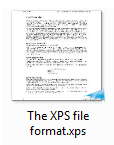
XPS files can be recognized by their .xps extension. On a Windows computer, the file icon is a small representation of the content of the first page with the blue XPS glider icon in the lower right corner.
XPS is closely linked to the Windows operating system, as it is a part of its underlying graphics architecture since Microsoft Vista. It is probably no coincidence that Apple uses its main competitor, PDF, as the graphics model within OS X. The goal of both technologies is offering WYSIWYG (What you see is what you get) when viewing and printing documents.
Within Windows, a language called XAML is used to describe how objects such as text need to appear on-screen. XPS is a subset of this XAML language, specifically geared towards a fixed page format so that text cannot reflow when it is sent to different devices. In previous Microsoft operating systems, a technology called GDI was used. Compared to GDI, XPS is graphically more sophisticated and faster when printing complex objects such as transparencies or blends. There is less need for software vendors to implement their own printing technology to get around limitations (as was often the case with GDI).
What can you do with XPS
XPS can be used as a document sharing format, similar to PDF.
XPS can be used as a printer command language. Printer manufacturers can create XPS compatible printers. Some of these are already available, such as the Xerox WorkCentre 7425 and the Konica Minolta 4695MF. These vendors wisely choose to add support for other languages, such as Postscript or PCL, as well in their devices. This makes sure that the millions of XP, Mac OS X, or Linux users can also use these printers.
How to create XPS files
As with PDF, there are applications such as Windows Office 2016 that can save documents directly as XPS files.
Windows 10 comes with a Microsoft XPS Document Writer printer which can be used to print any document to an XPS file. It is also included in earlier releases, such as Windows 7.

In both Vista and Windows XP (with the XPS Essentials Pack installed), it is possible to print to an XPS file. I don’t know why I didn’t get this working on my XP system. On my Windows Vista system it worked fine though.
I am not aware of any tools to create XPS files on a Mac using OS X. You could create a PDF and somehow convert that to an XPS file but this seems like a rather clumsy and time-consuming way of working.
How to view XPS files
Windows 10, 8.1 & 7: These operating systems ship with XPS Viewer. The application is similar to that of Windows Vista, except for some cosmetic changes and added support for digital signatures. The Viewer application can also be used to edit the document properties and add tags. From Windows 8.1 onwards you can also use the Microsoft Reader app to view XPS files. It is the Microsoft equivalent of Adobe Reader and can be used to open PDF as well as XPS and TIFF files. It can be downloaded from the Windows store.

Windows Vista: Doubleclick a .xps file and it will be shown using the XPS Viewer plug-in that is built into Internet Explorer. You can also install the XPS Viewer EP from the XPS Essentials Pack.
Windows XP and Windows 2003 Server: There is a viewer plug-in available for Internet Explorer. You can also download a separate viewer application, called XPS Viewer EP. It is part of the XPS Essentials Pack. There are some other tools around as well, such as the freeware XPS Annotator, but I never tried any of them.
OS X: Mac users can use the NiXPS View application which allows them to view, search and print XPS documents efficiently. This application is actually also available for Windows. Uploading files to Google Docs and opening them in your browser is a solution if you are a Docs user and only occasionally need to view XPS files on your Mac.
How to edit XPS files
XPS is not meant to be used as a file format for intermediate data that still need to be changed. Like with PDF, you’re not supposed to edit XPS files. Unfortunately, it may sometimes still be necessary. Unfortunately I don’t think there are professional XPS Editors any more. In the early days some companies invested in developing XPS tools but the market never got big enough.
XPS compared to PDF
XPS and PDF are similar technologies: they can be used to display, share and print paged documents. There are however a number of differences between both systems.
PDF has the advantage of being an established standard, especially in the graphic arts market. Lots of people know PDF and own the tools to modify and process PDF files. Most workflows can either handle PDF files or use it as their internal file format.
- There are clear standards and procedures available to exchange print-ready PDF files. PDF/X and the GWG standards that built on this are perfectly geared towards the printing industry. There are no XPS equivalents.
- PDF is a true cross-platform solution, with viewers available for a wide range of platforms, going from PDA’s to Macs and PCs and even a lot of Unix/Linux flavors. XPS support is limited outside the Windows ecosystem.
- XPS, on the other hand, has the advantage of being ‘free’ since support for it is built into Windows since Vista and Microsoft Office since version 2007. Even though there are a lot of free PDF viewers, PDF creation or editing tools such as Acrobat Professional cost a lot of money, especially for large organizations that need thousands of copies. Next to the licensing cost, deployment costs also add significantly to the price of implementing PDF. Since XPS support is included in the most popular operating system on the market, both the software and deployment costs can be a lot lower.
- It took years before decent PDF tools came to the market. Since XPS is XML-based, it is a lot easier to write software for it. Even though PDF currently has the advantage of having the biggest library of software tools, this might change rapidly and XPS tools may, in the long run, be cheaper and more abundantly available than their PDF equivalents.
- Even though Adobe is a large software company, Microsoft is even bigger and more influential. It will however be an uphill battle to match the popularity of PDF.
- PDF has a soul mate called JDF, the Job Definition Format, which can be used to describe how a job and the accompanying PDF pages need to be processed. Both JDF (job description) and PDF (job content) files can be bundled in a single mime file. XPS has Print Tickets, a technology that describes how an XPS file needs to be printed. Print Tickets are geared towards office printing whereas JDF is geared towards job handling in graphic arts. Technically it is probably feasible to refer to XPS files in a JDF job but it will probably take years before MIS and prepress vendors will even want to look into this, let alone get it working.
XPS and graphic arts
A lot of designers and agencies are still struggling to deliver proper PDF files to printers. Those printers won’t be in a hurry to promote yet another file format. What might happen however is that corporate customers who want to print office style documents demand that printers support XPS. This means that it is worthwhile to know a bit about the standard.
Converting XPS files to PDF is probably the best way of dealing with the initial demand. If XPS really takes off, it is highly likely that the big workflow vendors add support for it to their systems. Since Global Graphics worked on XPS, their Harlequin RIPs do offer native support for this standard.
Even though XPS supports CMYK, even Microsoft Publisher cannot yet embed CMYK data in an XPS document. Microsoft recommends the use of PDF for data exchange with offset printers.
The history of XPS
Microsoft developed XPS in close cooperation with a number of other companies, most notably Global Graphics. The original code name was ‘Metro’.
Users were first able to created XPS documents when Microsoft Vista was released for corporate use in November 2006. In January 2007 the consumer editions of Vista were made available, making the technology available to a much wider audience. The XPS Essentials Pack, a software bundle that adds support for XPS to Windows XP and Windows 2003 Server, was released in April 2008.
In June of 2007, Microsoft handed over the rights to the XPS specifications to ECMA International, an organization that specializes in developing international information and communication standards. Within Ecma, a technical committee called TC46 worked on OpenXPS, the Open XML Paper Specification. The resulting ECMA-388 specifications were published in June 2009. Since then no further work seems to have been done to update the standard.
Windows 7, which started shipping in October 2009, is the first Microsoft operating system that by default includes full support for creating and viewing XPS files.
Links & stuff
As it became clear XPS wasn’t a runaway success, pages about XPS gradually disappeared off the web. I haven’t found any recent good ones, besides the Wikipedia page.
I don’t know what I can do with an Microsoft XPS file.
Actually, you can view, create, edit and convert xps on Window 10: see ‘XPS Editor Pro’ from Microsoft Store.
https://www.microsoft.com/store/productId/9PP7KC6B0GWJ
Hi Guys,
how to create a digital signature in *.xps formats?
The idea is to add digitial signatures for document approval in test reports for creater and approver. Thank you in advance
The well and most documented pahe I have ever read on the subject.
Well done!!!
When I initially commented I seem to have clicked the -Notify me when
new comments are added- checkbox and now every time a comment is added I receive
four emails with the exact same comment. There has to be a means you can remove
me from that service? Thanks a lot!
Here’s an answer for those who said they could not find the files they created. If you “Print” to .xps or to .pdf, you normally get a pop-up window asking you to choose a file name and a location. If you cancel that window, no file is created.
Note that printing to .xps or to .pdf is roughly equivalent to saving as .xps or .pdf.
Once you’ve created a file in .xps or .pdf format, you should be able to find it via Windows Explorer (if on Windows). Word or Excel won’t find it by default, because Word looks for Word files and Excel looks for Excel files.
All complete! Thanks for the comment very considered, and pushing me too to think about all of this more. To achieve me, I come from it from having known violent young men, and what that means. A job like Lorna Rhodes on Excellent Max best parts how different elements violence, mental illness, suffering, institutionalized life, cultural forms come together. Nonetheless in the media, I do think there is the tendency to try to find the simple storyline, and that however serves to explain away too much, both with savagery and mental health.
I printed several docs to xps. But now…I CAN’T FIND THEM. The xps viewer can’t find them, windows search doesn’t find them. This is useless! I don’t want to save my document in that format, but I just want the “printout” to be in that format so i can share it and save paper…that’s the idea, right? So where are the documents? NOTHING in the online or product documentation tells us where to find them.
Save them to your desktop and its super easy to find them. If you cant find them or didnt select a place for them to go, they probably never saved in the first place.
hi
i am MBA student and i should use journals for my final project in any format, i found a lot of xps files ,but i can not copy and paste for paraphrase and use it for my project. please help me
thanks
XPS is really nice and simple. In Word all you do is go to Save As – PCF or XPS – Save As Type and you get a clean looking document for free. What is nice is the interchangability. You can insert an XPS doc into a PDF file. You can actually build a XPS doc in Acrobat and just use Adobe as the framework tool with no “sharing” hassles. I just wonder why I waited so long to try it when it was right in front of me.
Old article but I just had a few thoughts.
“XPS on the other hand has the advantage of being ‘free’ since support for it is build into Windows 7, Vista and Office 2007. Even though there are a lot of free PDF viewers, PDF creation or editing tools such as Acrobat Professional cost a lot of money, especially for large organisations that need thousands of copies. ”
XPS isn’t free to use on the Mac or Linux or probably handhelds for that matter. Lots of organizations have plenty of Macs and you’d have to pay just to even view a XPS file. I’m not sure about editing but I bet its expensive.
Also PDF creation is Free on Windows/Mac/Linux. On the Linux/Mac its built-in and on the PC there are tons of Free PDF printers.
Finally you don’t have to use Acrobat Pro, there are lots of cheap alternatives.
Without arguing about the technical merit I wanted just say that as far as cost and availability on multiple platforms its not even a contest. PDF wins by a landslide.
Yes you have to “deploy” it, but beyond that there are plenty of good reason to go with it vs jumping to XPS. I’m sure some companies would find it a good fit but I’d hope it doesn’t become more widespread.
Hi,
I’m trying to print xps format for a flyer but the result is not as sharp and good when I print in pdf?
Any solution?
Thanks
I find XPS very much useful than PDF to publish .But Process Viewer Tool is extremely fruitful application, which is only used for the detection and removal of spyware from your system.Also the process viewer tool is very much helpful for analyzes spyware and identifies what each process is doing.
Both have free readers for computers but I see no advantage in using xps other than the preloaded default print on a windows system vs download or online PDF creation.
Editing either costs $$ – NiXPS Edit for Windows $299, Adobe charges similar $$ for Professional. The only true advantage goes to PDF, I can get a free reader for my iPhone … an XPS reader will cost me $5 – Both can be found here if you want to spend the cash. http://www.nixps.com/iphone/index.html – but to me it isn’t worth the $$. And thats my $0.02
I was searching for how to convert xps to pdf and found http://www.k2pdf.com. They seem to do a descent job converting to pdf. For those who can’t view xps on their Mac, you may want to give it a try. I don’t see any nasty logo or trial watermarks so I assume it is free.
afaik, to view xps document, you dont have to use windows at all. okular can view and print xps in linux.
Beside that, i already use xps in my program to ship should-not-be-altered documents to branches office.
Yes, my company do use windows. even now it’s still run windows xp, with office2003, but as long as you already installed dotnet framework 3, you should able to view and print xps document to any printer you have.
Works perfectly — all you have to do is buy a new computer with Windows 7, buy MS Office, and be sure to use Internet Explorer. And be sure all of your customers and clients do the same.
See how easy MicroSchlock makes it for you?
Actually, even microsoft-only shops are having a lot of problems with the bloody things. Go to msdn and search around…the bugs are myriad. Also: Try to find .xps documents you’ve “printed.” You can’t.
all this is great IF, and ONLY IF, You are creating a File and, NOT triin to print from it. .xps may be a better program if, it had the capability to print readily from the file as well as create it.
there aren’t any programs out there to help put it in a format that can be printed readily even to college students like myself whom want the security of a program to keep information “locked,” yet ” unlock,” when something goes wrong and it needs to be printed out. any help would be appreciated.
It doesn’t work on Firefox or Chrome, so what does the average Joe do when he gets sent one?
You can’t save to a spreadsheet from within IE, so it’s not a heck of a lot of use, unless you want to start up a new development stream in the middle of your day.
Well, I have found one use for it. It generates physical leader characters in place of the logical ones generated by Word in indexes, for example. The text in the displayed XPS file can then be copied and pasted back.
I cannot seem to get the annotations I make on the XPS worksheets to stay there once I save the worksheet. Right now, when I forward the documents to others, they don’t see my annotations. When I go back to find my annotations they have gone. Why is that? Is this function not fully functional yet? Or is it a permissions box that needs to be checked or unchecked?
Desde que se instalo el visor de Microsoft XPS en mi computador al bajar un documento de internet y imprimirlo, no he podido volver a imprimir en mi impresora, pues siempre se abre la ventana de la impresora donde dice que la ubicación del documento es xps port, y me manda aguardar en documentos pero no me imprime ninguan documento. Al notificar a soporte tecnico de microsoft me piden que llame por telefono a microasoft españa y lo mas mas factible es que me cobren por la solución de un problema que se creo por no se que motivo.
Luis,
When you installed XPS it probably set XPS as the default printer. Did you try to set the original printer back to default?
XPS is a print-to-file printer driver similar to the CutePDF.com PDF print driver.
Hope this helps.
The worst thing about it for me is that it isn’t editable or annotatable yet. And before anyone says anything about apps that do that…they all suck. And I mean that in the worst way, without any euphemism. NiXPS is way too expensive for anything that it does…which is doesn’t do well or easily. Even if it was user friendly and actually accomplished what it was supposed to, it would only be worth about $20. The guy who created it has some real ego problems, considering the app is about as good as most fourth graders could produce.
i found one way to edit xps dox.
go to cnet and download free “XPS Annotator.”
once u launch it, click file and type in the file name you want to play with.
save it as a jpeg.
then open it in paint and u can do some editing with the brush and text etc.
Hi,
I just received the first XPS file I’ve ever seen in prepress. Thanks for this article and all the comments. Extremely helpful, as usual!
And it was good, wasn’t it?
Why does microsoft insist on creating formats that will never be accepted? case in point, WMV format has almost completely been replaced by MP4s and FLVs. Come on Microsoft… get real! oh, and while we are on the topic… Companies who use Windows Mobile will not recreate their software for windows 7 mobile. they will most likely move to the iPhone (as the majority of people own the iPhone or iPod touch!) MORONS!
You’re stoned. WMV is still very much in use and beats the fack out of most other formats for size and quality.
I guess this new XPS might be OK for some, but I still rather use PDF. It is quicker and a whole lot easier than XPS. One thing for sure PDF has always worked on every computer I have owned. I think may-be that MS ought to stick to creating a good operating system like XP and then leave it alone just like Apple has done! For those that think XPS is free you ought to stop and think of how many hours and how much money you spend to keep Vista from crashing as I thought the whole Vista OS was a disaster from the very beginning and it just kept getting worse.
For XPS Tools I already try XPS Annotator. Great XPS Viewer because its not just a viewer (maybe the best XPS Viewer). Provide features to annotate any XPS documents, can convert XPS to an image files, support digital signatures, can adding document properties.
That’s actually not true when you use something like CutePDF. CutePDF is free for the Windows platform – I’ve used it to print hundreds of Visio drawings and all the hyperlinks indeed work, even in OS X Preview.
“Do you think XP/Vista/Office are free?”
I’m sure that isn’t what was meant. However a good, sizeable share of offices already use Windows- and Office-based ‘workstations’ (if you call them that). iWork has come a long way, and we are starting to use iWork ’09 here for page layouts, but we have primarily Windows 7-based desktops for employees (we just rolled it all out this week).
I make organisational charts for my company. I find XPS much more useful than PDF to publish these because it retains the hyperlinks I have established in Visio.
That is interesting feedback but it points more to the good support for XPS in Visio than to an actual advantage of the XPS file format. PDF files can also contain hyperlinks but apparently Visio doesn’t support this.
That means Visio is garbage. When I make PDFs on my Mac they retain their hyperlinks. Silly reason to use not to use the most common and easily support format out there.
If you are having problems install any of the FREE pdf printers available out there.
Remember that Visio is a Microsoft product, so of course it would work better with xps than with pdf.
“XPS on the other hand has the advantage of being ‘free’ since support for it is build into Vista and Office 2007. Even though there are a lot of free PDF viewers, PDF creation or editing tools such as Acrobat Professional cost a lot of money […]”
Free? Are you high? Do you think XP/Vista/Office are free? There’s already an open standard that works. On a Mac, one can print *anything* to PDF, with no cost other than the base OS.
On a Mac…are you a facking total loser or what?
what do we need a MS suckass, proprietary, non-open, windoz only POS for?
Actually, you can view and even create xps on xp: see ‘microsoft xps viewer’ http://www.microsoft.com/whdc/xps/viewxps.mspx
Or better: “how to open, view or create xps documents in windows xp and windows 2003:
http://www.mydigitallife.info/2007/01/27/how-to-open-view-or-create-xps-documents-in-windows-xp-and-windows-2003/